What is ChatGPT? A Simple Guide for Students in Hindi & English
ChatGPT is a powerful AI chatbot developed by OpenAI that
understands and communicates in multiple languages, including Hindi. Whether
you’re a student, writer, teacher, or just someone who wants to explore new
tech, this guide will show you how to use ChatGPT in Hindi effectively.
🔹
What is ChatGPT?
ChatGPT is a
conversational AI tool created by OpenAI. It uses natural language processing
(NLP) to understand what users are saying and generate intelligent, human-like
responses. You can chat with it like you would with a real person, and it can
help with:
- Answering
questions
- Writing
stories, poems, essays, or letters
- Translating
between languages
- Assisting
with homework and research
- Helping
with programming and technical problems
- Generating
ideas and writing scripts
🔹
Why Use ChatGPT in Hindi?
ChatGPT
understands and responds in many Indian languages, including Hindi. This is
great for users who are more comfortable communicating in Hindi or want content
specifically written in Hindi. Here are a few reasons to use it in Hindi:
- It
allows native language learning and interaction.
- Students
can write essays, applications, or letters in Hindi easily.
- It
supports storytelling, poetry, and writing in Hindi.
- Helps
elderly or non-English speaking users use AI tools effectively.
🔹
How to Access ChatGPT
You can use ChatGPT on both desktop and mobile
platforms:
✅
Using a Web Browser
- Open
your browser and go to: https://chat.openai.com
- Log
in with your email or continue with Google or Microsoft account.
- Once
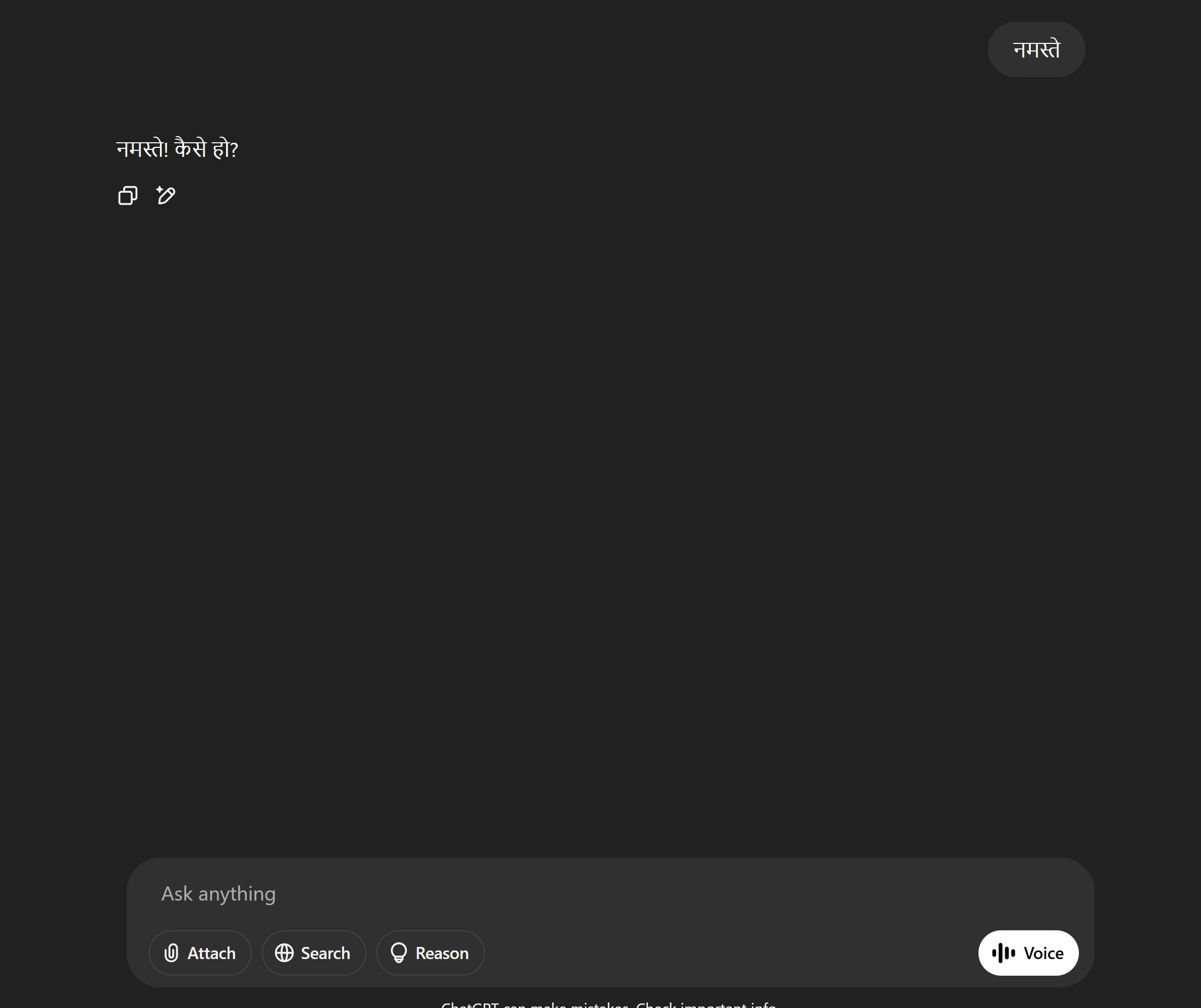
logged in, just start typing your message in Hindi. Example:
- “भारत
के पहले
प्रधानमंत्री कौन
थे?”
- “एक
प्रेरणादायक हिंदी
कहानी सुनाओ।”
- ChatGPT
will detect the language and respond in Hindi automatically.

✅
Using the ChatGPT Mobile App
- Go
to the Google Play Store or Apple App Store
- Search
for: “ChatGPT by OpenAI”
- Download
and install the app
- Log
in with your OpenAI account
- Now
you can chat in Hindi from your mobile easily
🔹
How to Type in Hindi?
If you don’t have a Hindi keyboard, there are easy
solutions available:
👉
Option 1: Use Google Input Tools
- Select
“Hindi” as your language
- Type
phonetically in English, e.g., “mera naam Rahul hai” → it will convert to
“मेरा
नाम
राहुल
है”
- Copy
the text and paste it into ChatGPT
👉
Option 2: Enable Hindi Keyboard on Mobile
- Go
to Settings → Language & Input → Keyboard
- Add
a Hindi keyboard (e.g., Gboard with Hindi support)
- Switch
to Hindi when typing in ChatGPT
🔹
Things You Can Ask ChatGPT in Hindi
Here are some interesting things you can try with
ChatGPT in Hindi:
- General
Knowledge: “ताजमहल
कब
बना
था?”
- Essay
Writing: “स्वच्छ
भारत
अभियान
पर
300 शब्दों का
निबंध
लिखो।”
- Letter/Application: “विद्यालय
में
छुट्टी
के
लिए
हिंदी
में
आवेदन
पत्र
लिखो।”
- Poem
or Story: “एक
प्रेरणादायक
हिंदी
कविता
लिखो।”
- Translation: “Translate
‘Knowledge is power’ in Hindi.”
- Study
Help: “ग्रामर
में
संज्ञा
और
सर्वनाम
का
अंतर
बताओ।”
🔹
Tips for Better Use
- Be
specific in your questions for more accurate results.
- Use
simple language when typing in Hindi for better recognition.
- If
the first response isn’t perfect, ask again or refine your question.
- You
can mix Hindi and English – ChatGPT understands “Hinglish” too!
- You
can continue the conversation in Hindi for natural interaction.
🔹
Is ChatGPT Free to Use?
Yes, the basic version of ChatGPT is free to use.
However, OpenAI offers a paid plan called ChatGPT Plus that
gives access to faster response times and more advanced models (like GPT-4).
For most casual Hindi users, the free version is more than enough.
🔹
Final Thoughts
Using ChatGPT in Hindi opens a whole new world for
native language speakers who want to explore AI tools. Whether it’s for
education, creativity, or daily use, ChatGPT can be your smart companion in
Hindi. The more you use it, the more useful it becomes.
If you haven’t tried it yet, head to https://chat.openai.com and
start chatting in Hindi today!
Comments
Post a Comment